
How to change your workspace name
Every workspace starts with a default name. Since we can’t know what you want to call it, you’ll need to rename it manually.
To change your workspace name:
-
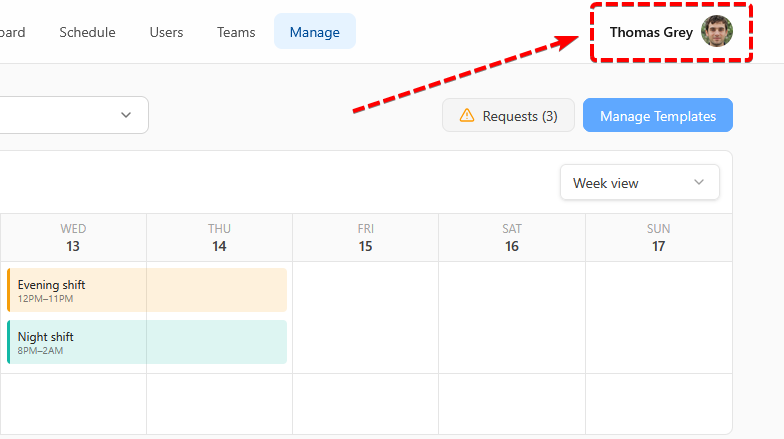
Click your profile picture in the top-right corner.
If you haven’t uploaded a picture yet, your initials will appear instead.
-
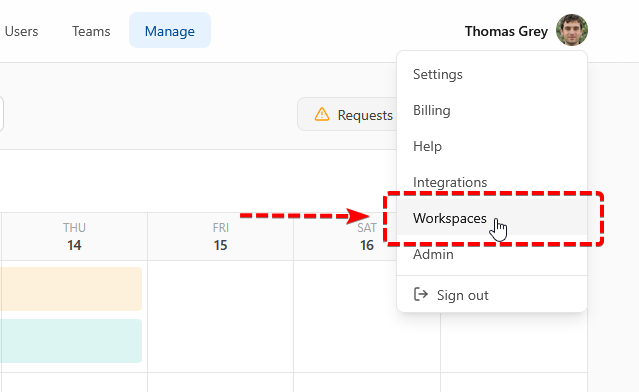
Select Workspaces from the dropdown menu.
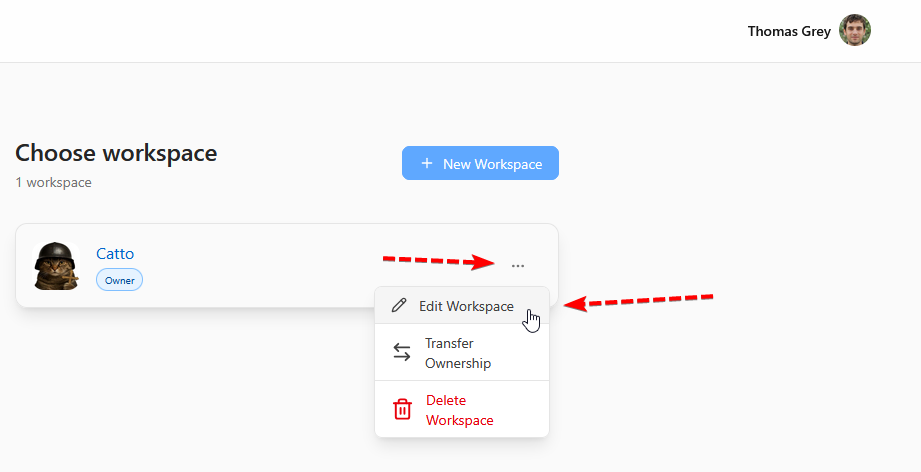
- Find the workspace you want to edit, then click the three dots next to it.
-
Select Edit Workspace.
-
On the workspace settings page, you can update the workspace name and other details.
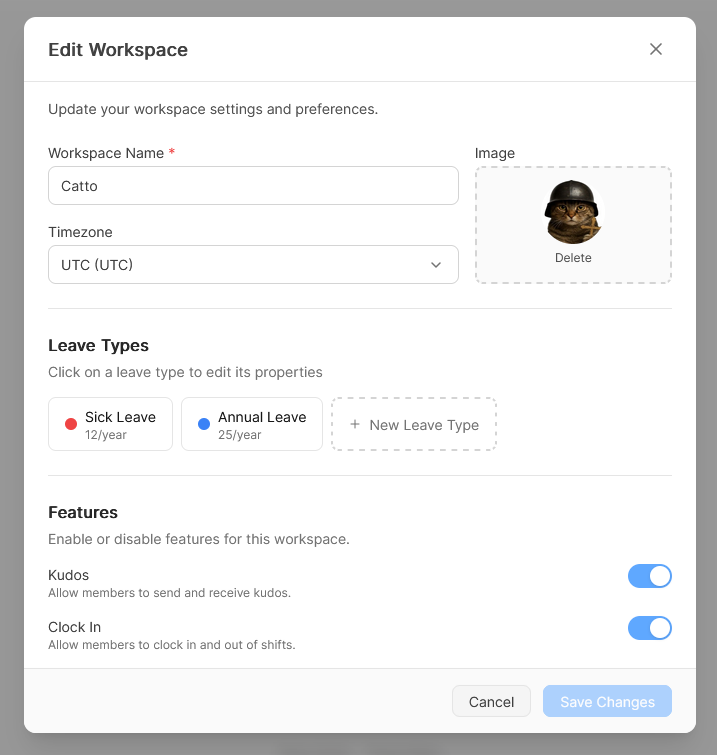
And after hitting "Save Changes" your workspace name has now been updated. You can also edit other workspace details from this page at any time.
If you have any questions, contact us at help@weqly.com